Customize NOVA Artwork.
Set up your branded NOVA in a few guided steps: choose a device color, place your artwork inside the factory printing areas, and submit. No dieline experience needed.
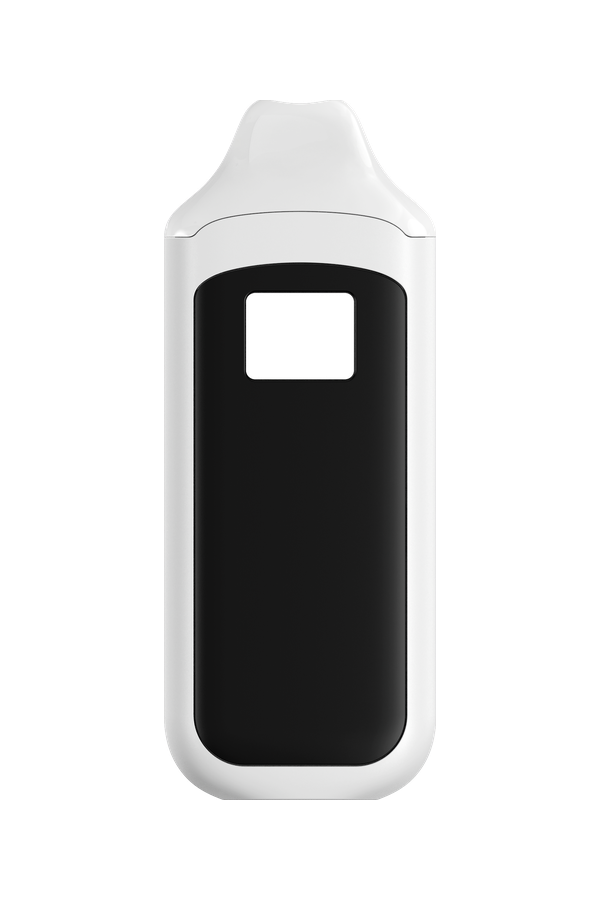
Device
NOVA has a 2.0 mL tank. Choose the housing and the mouthpiece; the approved stock colors for the housing follow.
Body style
On-screen body and mouthpiece treatments are a preview. The selected treatments and your confirmed color reference are what reach production.
Device color
Choose from the approved stock colors for this body style, or request a custom Pantone match.
Enter the official Pantone reference, not a HEX value.
On-screen color is approximate. Your confirmed Pantone reference will be used for production.
Mouthpiece
Enter the official Pantone reference, not a HEX value.
The clear mouthpiece is tinted by the selected mouthpiece color.
Select a device color to continue.
LED Screen
NOVA's LED display can show the factory-standard voltage and puff count, or your own branding in its place. This is a digital display setting, separate from the physical printing on the device body: body artwork follows in the next step, and the printing method is chosen under Production.
Upload your branding, or choose Standard Display, to continue.
Drag the logo on the preview to position it; it snaps to the screen centre lines and stays within the screen area.
Your Artwork
Each surface is set up independently; your original files are always submitted untouched.
You are setting up the front surface. Use the buttons above to switch.
This surface will be submitted as intentionally undecorated: no artwork is required here.
Artwork Colors
Colors detected in the artwork you uploaded above.
Have official brand colors? Add the Pantone reference so the factory can match them precisely. This does not change your uploaded artwork.
Position Your Artwork
Use the Front / Back toggle above the preview to work on each surface. Drag the artwork on the device and keep it inside the marked printing area. The marked boundaries are derived from the factory-supplied 1:1 dieline.
No artwork on this surface yet. Go to step 2 · Artwork and upload a file for this surface, or switch back to the other surface.
Choose based on your artwork. Logos and graphics require a minimum 6 × 6 mm size; text-only artwork can be as small as 1 × 1 mm.
Rear window keep-clear area. Keep artwork outside the marked window area on the back.
Production
Choose the body finish and how your NOVA should be printed. These apply to the whole device; the LED screen logo is a separate digital customization.
Select a printing method to continue.
Upload body artwork to select a printing method. The LED screen logo is a digital display customization and is not printed.
Finish selections are recorded in your specification and are not simulated in the preview.
Translucent body: the color is injection-molded into the shell, so Standard Molded Color is the only body finish. Painted finishes, including metallic paint, are available on the Opaque body style. Printing is available on both.
Remove artwork?
Selecting No Printing will remove the artwork currently added to this configuration.
Review & Submit
Check your configuration. Submitting sends PROXY a factory-ready branding specification for this build.