Customize HEX.
Set up your branded HEX in a few guided steps: choose a window shape, a stock Black or White housing, a gradient colorway or a custom color, place your artwork inside the print zones, and submit. The print zones are provisional until the factory confirms them.
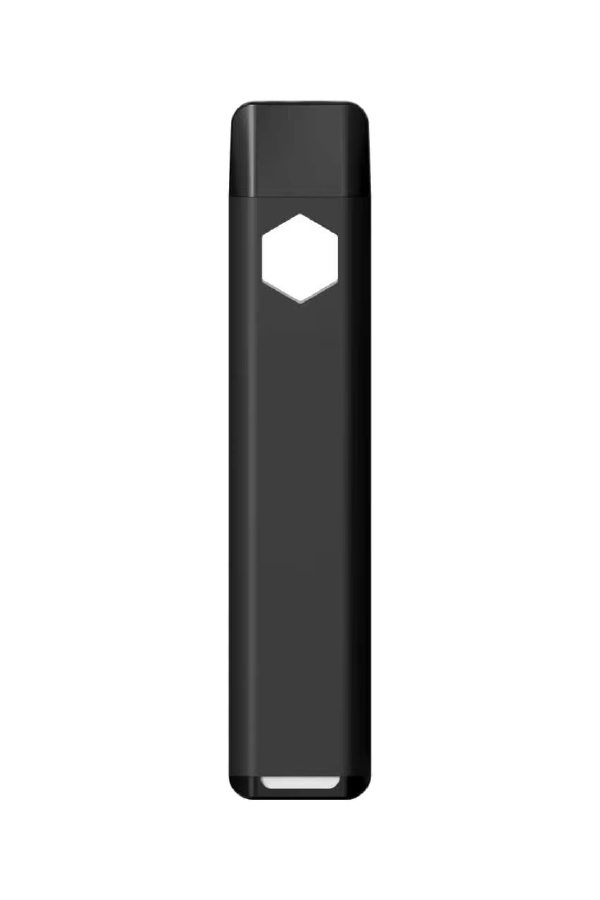
Device
HEX pairs an aluminum housing with a food-grade PCTG tank. Choose a window shape, then the housing color: stock Black or White, or customize with a gradient colorway or your own color (pick a shade or enter a Pantone reference). The cap follows the housing color.
Window shape
Make it unmistakably yours. Choose a signature window shape or explore your own design.
Hexagon is our existing signature window. Cloud, your own shape and unverified window and color combinations are subject to production confirmation. Pricing, minimum order quantities and finish availability are confirmed with your quote.
Housing color
Black and White are the standard stock colors. Gradients and other colors are customization options. Availability, and any window and gradient combination, is confirmed with your quote.
Enter the official Pantone reference, not a color code.
On-screen color is approximate. Your confirmed Pantone reference will be used for production.
Subject to factory approval. Custom gradients are not a confirmed production option. The factory reviews your two colors and the blend before anything is quoted; the gradients above are factory colorways.
The gradient runs from the top of the device to the base. Color codes are on-screen references, not Pantone matches; PROXY confirms production colors with the factory.
Mouthpiece
Opaque cap · match the housing color or choose a custom color
Enter the official Pantone reference, not a color code.
The clear mouthpiece is tinted by the selected mouthpiece color.
Choose a custom housing color to continue.
Your Artwork
Each surface is set up independently; your original files are always submitted untouched.
You are setting up the front surface. Use the buttons above to switch.
This surface will be submitted as intentionally undecorated: no artwork is required here.
Artwork Colors
Colors detected in the artwork you uploaded above.
Have official brand colors? Add the Pantone reference so the factory can match them precisely. This does not change your uploaded artwork.
Position Your Artwork
Use the Front / Back toggle above the preview to work on each surface. Drag the artwork on the device and keep it inside the marked printing area. The marked boundaries are transcribed at 1:1 from the supplier Print Range drawing.
No artwork on this surface yet. Go to step 2 · Artwork and upload a file for this surface, or switch back to the other surface.
Choose based on your artwork. Logos and graphics require a minimum 6 × 6 mm size; text-only artwork can be as small as 1 × 1 mm.
Finish & Printing
Choose how your HEX should be printed. Decoration methods and the housing finish are confirmed with the factory for HEX before production.
Select a printing method to continue.
Finish selections are recorded in your specification and are not simulated in the preview.
Remove artwork?
Selecting No Printing will remove the artwork currently added to this configuration.
Review & Submit
Check your configuration. Submitting sends PROXY a factory-ready branding specification for this build.